How to Mix and Merge MP3 files with Crossfade effect
How to Mix and Merge MP3 files with Crossfade effect
The scenarios in which you may need to merge multiple Mp3 files are different. Just think about the case where you want to create a playlist of multiple music tracks without interruption, or if you have multiple audio parts of a file to merge together.
Joining audio files is quite simple, on the net we find several free programs that allow you to perform this operation quickly. However, not all of these tools are capable of doing professional work. When we talk about professional work we refer to the possibility of mixing and joining mp3s by applying (automatically) the crossfade.
The crossfade effect that allows you to create a slight overlap at the end of one song with the beginning of the next in order to avoid abrupt interruptions and deafening silences. The first program (Audio Mix) that you will find in the following list is one of the few that allows you to merge mp3 with crossfade effect.
Audio Mix
Audio Mix is an excellent “MP3 Joiner”able to join and combine 2 or more MP3 files in order to create a single audio file in MP3 format. A beautiful function present in this program is that which allows you to insert a possible “fading” and “crossfade” effect in the passage from one MP3 to another.
CLICK HERE TO DOWNLOAD AUDIO MIX
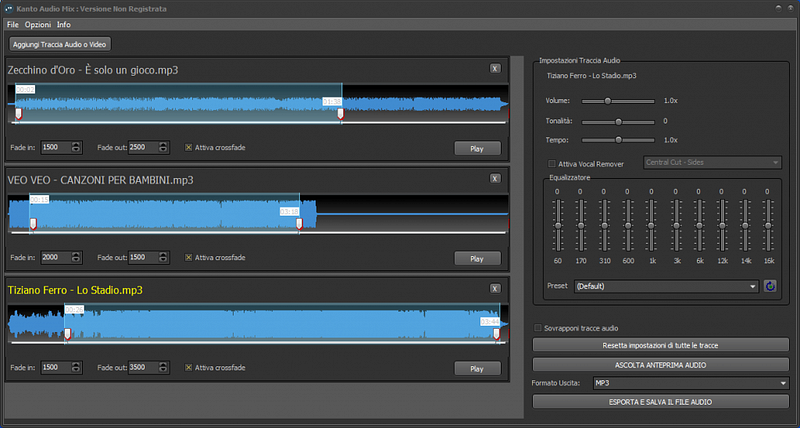
Here are the main features of KANTO AUDIO MIX:
- Fast MP3 Joiner without re-compression;
- Powerful mp3 joining algorithms;
- Support MP3 tag editing;
- Supports MP3 VBR (Variable Bitrate);
- Simple management of MP3 tracks
- Sorting by each column (e.g. by title, length, track …)
- Change the order of MP3 files to be merged
- Fast merging of MP3 files;
- Integrated MP3 player;
- Multiple merging of multiple MP3 files;
- Inserting crossfade (fade in and fade out) effect between merged MP3 files
Once you have downloaded and installed the program here is the interface you will see:
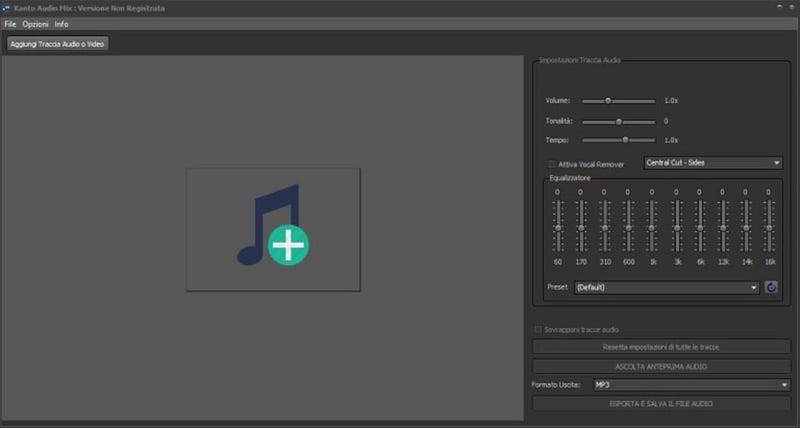
Merging MP3 files with crossfade effect is really simple to do:
1) Click on OPEN at the top to choose the segments and MP3 tracks to be joined
2) Select the order in which the MP3 files will be merged (use the buttons on the right side)
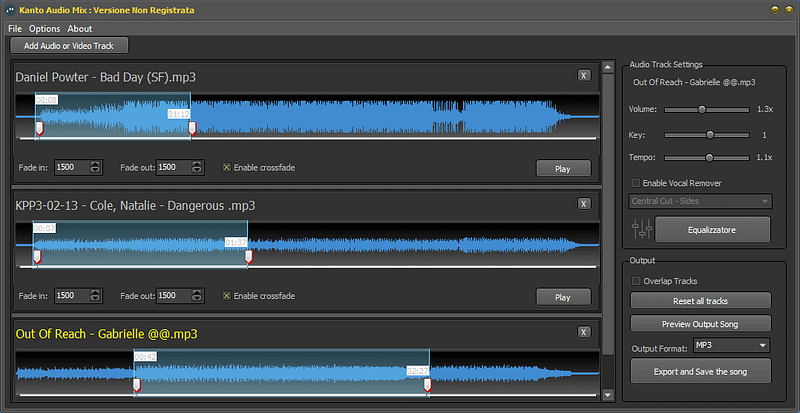
3) Select “Enable crossfade” box below the audio track
4) From the right panel you can change volume, key and tempo
5) Click on the “EXPORT AND SAVE SONG” button at the bottom right to save the merged file.
For more info read how to use Audio Mix software
Merge MP3
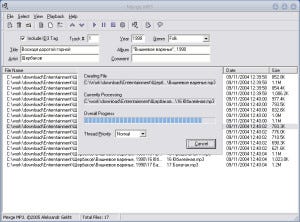
Merge MP3 is an application specially developed to allow merging of MP3 files. Operation is very simple. You have to start the program, open the audio files to be merged using the Add Files option in the File menu, select the files imported into the program with the mouse and complete the operation by choosing the Merge option in the File menu.
The application allows you to merge as many files as you want, without limitations on the number or size.
Helium Audio Joiner
Helium Audio Joiner is another easy-to-use tool for merging songs and audio files. The program supports numerous formats, including Aac, Flac, M4a, M4b, Mp3, Mp4, Mpc, Ogg, Wav and Wma and provides some useful features such as the ability to insert pauses between joined tracks.
To join the files you have to import them into the application, order them the way you want, choose the type of format and the quality you want to get and click the Join button.
MP3 Toolkit
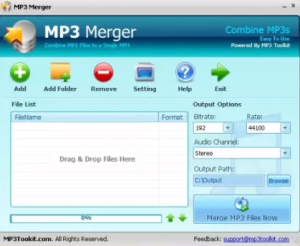
MP3 Toolkit includes various tools for editing and converting audio files.
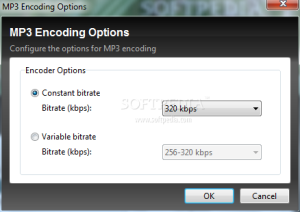
Among the features we find the possibility to merge songs. Also in this case the use is very simple and the options allow you to set the quality of the file you want to obtain. The program is free and is available for Windows.
MP3DirectCut
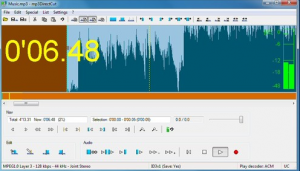
Mp3DirectCut is an application to edit songs that we have already talked about in the past and which has one of the main features in its lightness. Features include the ability to apply effects, change the volume and cut, copy and paste audio, edit tags, delete pauses and normalize audio
Features include the ability to edit tags, eliminate pauses and normalize audio.
Combining songs with this tool is very simple, just open the first Mp3 file, select and copy it, open the second Mp3 file, position yourself at the end of the song with the mouse and paste the previously copied audio.
Among the features we point out that the application allows you to save modified files without recoding.
Audio Joiner
Audio Joiner it is a useful solution for those who do not want to install programs on their computer. It is in fact an online tool, to be used through the browser, with which it is possible to combine songs.
The operation is very simple, just load the audio files, in Mp3 or Wav format, that you want to merge and click a button to perform the operation.
The file obtained can then be downloaded to the PC.
Audacity
Audacity is definitely one of the most popular free music editing programs. Among the main features we find the ability to cut and merge files, raise the volume, eliminate background noise, remove noise, eliminate the voice from a song.
Among the various options available we also point out the possibility to change the tone and playback speed, set audio fade effects and apply effects and filters. We can also use it to record audio and add it to files we already own. To merge two audio files with Audacity you need to do the following.
Start the program, access the File — Open menu and choose the files you want to merge.
The selected files will be opened in separate windows. Access the window containing the file you want to add to the main one, enter the Edit menu and click on Select — All to select the audio track open in the window. Copy the track by clicking on Edit — Copy.
Access the program window in which the audio file to which you want to join the copied song is open, click with the left mouse button at the end of the track so that a black line highlighted in red appears. Enter the Edit menu and choose Paste to paste the previously copied audio to the selected point.
Save the new file by clicking on File — Export as Wav. The program is characterized by a rather simple interface, it is free and is available for Windows and Mac.