How to bulk download files from list of URL or Links
How to bulk download files from list of URL or Links
Downloading a list of files / urls fully automatically can be a rather tedious and time-consuming task.
I needed to download about 150 movies and immediately started looking for a way to create a batch that did the dirty work for me.
To my surprise, I found that this work can be done very easily using software. Below you will find the best solutions to automatically download all files from a list of URLs.
SOLUTION N.1: FILELIST DOWNLOADER
FIleList Downloader is a small but powerful program that can download ALL files from a list of URLs. It is also able to automatically recover all links present in a web page (useful to download all the files present in a specific page).
Using this software is really simple. First you need to have the list of URLs(one URL for each line) in a .txt file or Excel file, as shown in the figure below.
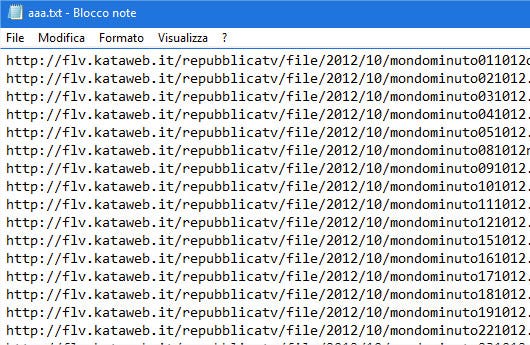
Or you need to know the online page (URL) where there are all links of files you need to download on your PC.
Once you have this file or the URL of the page, you can install FileList Downloader on your Windows PC. You can download this program from the link below (compatible with all Windows versions)
The steps to follow to download all files from the list of URLs are as follows:
- Import the links using one of the following three methods:
a) Click on the READ FILE (.txt, .xls) button to load the txt or excel file containing the list of file URLs (photos, images, pdf files, etc.).
b) Alternatively click on ADD FILE to directly copy and paste the list of links you have
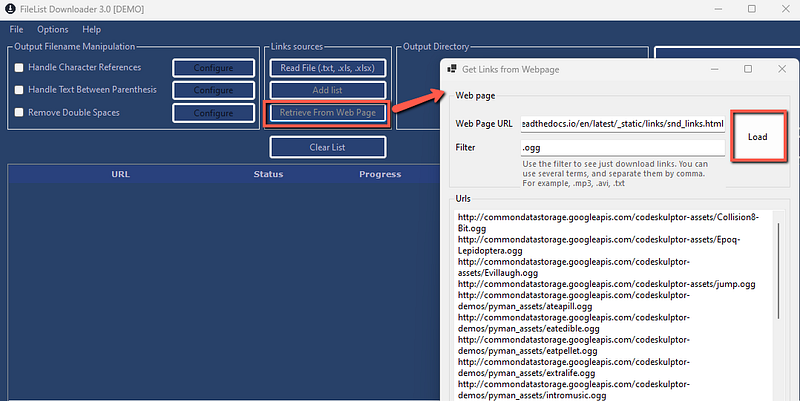
c) Click on Retrieve from Web Page to enter a URL and download all files from links on that given web page - Click on Set Output Directory to choose the folder in which to save all downloaded files
- Click on the DOWNLOAD button to the right of the program to start downloading ALL files automatically
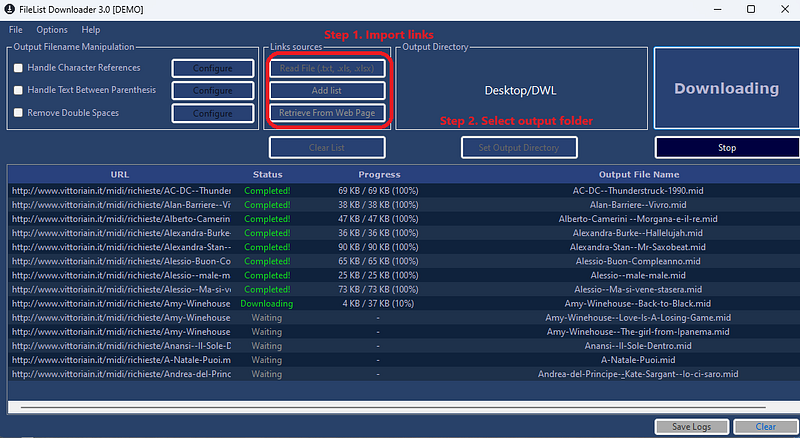
The free version of this program allows the download of a maximum of 10 files at a time. You can purchase the license (for only 19 dollars) to download unlimited files (go to Help → Pro Version to open the purchase page).
The latest version (3.0) of this program also has, as anticipated, a function capable of recovering all the links on a page and then downloading all those files in a single click.
SOLUTION N.2: ALL LINKS DOWNLOADER
All Links Dwnloader is a chrome plugin that allows you to download (automatically) all files and links from a web page.
Once you install this extension, go to the desired website, then open All Links Downloader and it automatically will show all available files to download from that web page.
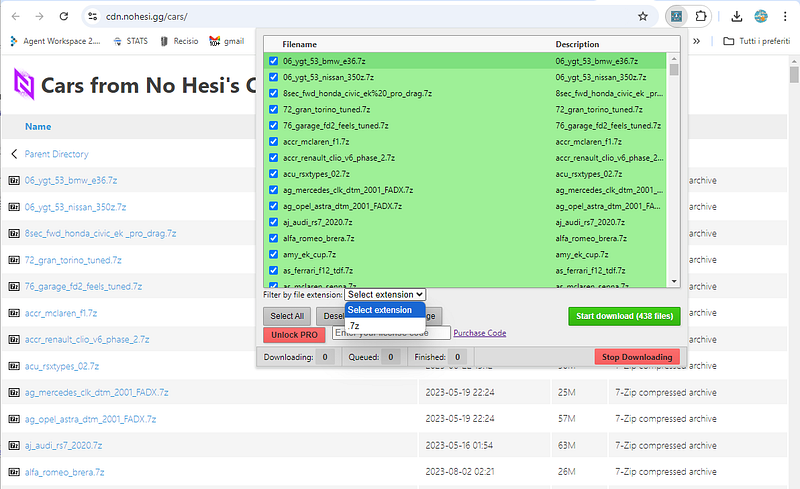
Finally click on Start Download to download all selected files.
For more info read our detailed All Links Downloader review on Medium.
SOLUTION N.3: DOWNTHEMALL!
DownThemAll is an add-on present in Firefox. If you don’t have this browser on your computer, I recommend that you install it.
At this point we proceed to download and install the Firefox component DownThemAll!
Restart Firefox and then go to: Struments -> DownThemaAll! — Struments-> dTa! Manager
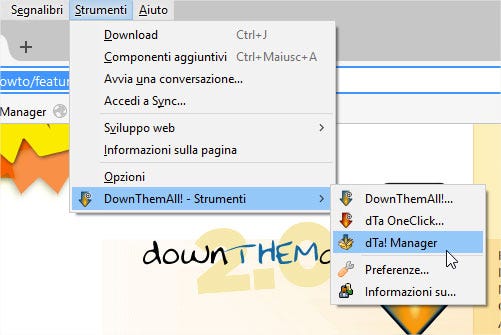
At this point, right-click on the manager window and go to: Advanced -> Import from file
Select the .txt file containing the list of URLs:
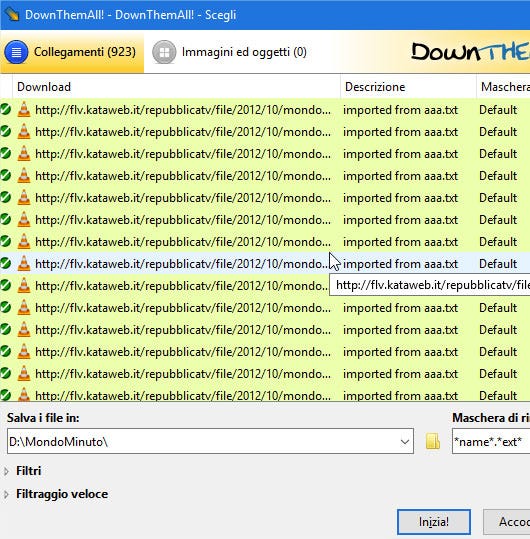
At this point you just have to select the folder where to save the file and start the process with the Start button!