How To bulk invite and increase members on your WhatsApp Channel?
How To bulk invite and increase members on your WhatsApp Channel?
With the latest version of WhatsApp it is possible not only to view and subscribe to public channels, but also to create your own WhatsApp channel! That’s right. If you own a company or have a website or if you are an event organizer or something else, you will now have the opportunity to increase your visibility also through WhatsApp channels!
On other messaging services, such as Telegram, the use of channels or groups has been very successful and perhaps for this reason WhatsApp has decided to add them and allow anyone to publish their own “communication” channel. We already wrote an article on how to bulk invite members on Telegram channel.
But how do you create a WhatsApp channel? And, above all, how to increase subscribers to a channel in order to reach the greatest number of people? How to bulk invite followers and members in your WhatsApp channel? Below we will give the answers to all these questions!
How to create a WhatsApp channel
Creating a WhatsApp channel is very simple. Here are the steps to follow:
- First, open the WhatsApp app on your phone (or also via WhatsApp Web from your computer’s browser).
- Access the Updates tab
- Click on the + symbol on the right of the Channels item. A drop-down menu will open with two options “Create Channel” or “Find Channels”
- Click on Create Channel and a screen will open containing various instructions. You will be informed that the channels are public, anyone can find them and view the chat history of the last 30 days. Your phone number, profile picture and name will not be shown to channel subscribers. The channel must obviously comply with guidelines and will be examined by WhatsApp.
- Click Continue and a screen will open where you can enter an image, a channel name and a channel description for subscribers
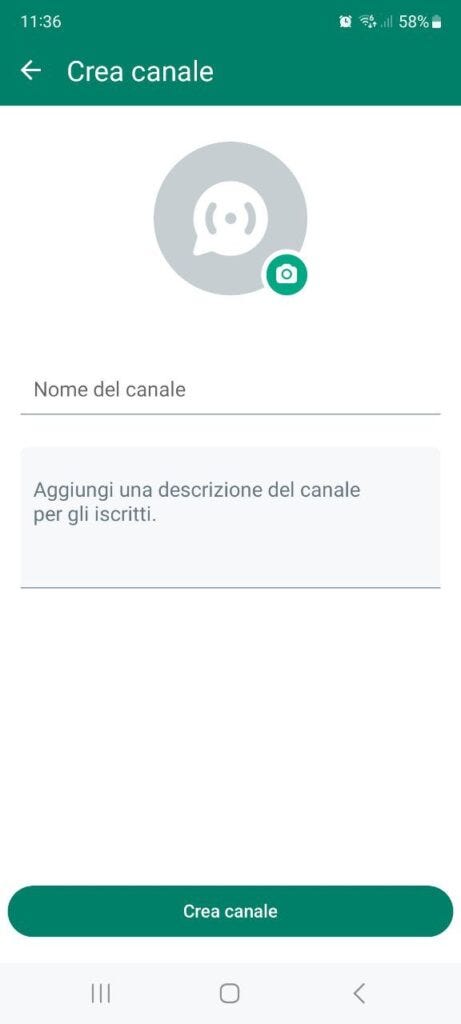
Press Create Channel to confirm and complete the creation.
Well done! You have now created your first channel on WhatsApp. There are no limitations on the number of channels you could create. A first suggestion is to create channels with a very specific theme and a complete description. This data (channel name and description) can be used by potential members when searching for channels via WhatsApp itself.
How to bulk invite and increase subscribers to your WhatsApp channel?
Once you have created your WhatsApp channel let’s see the methods to “populate” it. A channel only makes sense if it has a number of members / subscribers that allows you to reach more people at a time.
Method 1. Create a precise thematic channel
As we have already mentioned previously, a very important phase for creating a successful WhatsApp channel is defining the title and description. This data is crucial so that your channel can appear in the WhatsApp “search engine” and can be proposed to potential users who use the “Find Channels” function to search for information that you could provide.
So think very carefully before entering the title and create a detailed description of the services or products you could offer.
If you use the channel search function in WhatsApp you will also notice that currently the results only appear for those “verified” WhatsApp Business channels and accounts. These channels / accounts appear with a green check on the right, a green check that is obtained only by completing the verification procedure.
To get the green check on WhatsApp you need to start with a premise: company verification is only available on accounts based on the WhatsApp Business API. To gain access to WhatsApp’s API, each business must first verify its Meta Business Manager account, and this process is the first filter WhatsApp uses to distinguish the legitimacy of a business. Once your Meta Business Manager account has been verified you will be able to get this famous green check.
If you are unable to follow this procedure or cannot obtain this verification, no problem! You can also increase subscribers to your channel by following the advice described in the following paragraphs (invite or bulk invite members).
Method 2. Share subscribe links to your channel
An easier way to start getting subscribers is to use and share your channel link! Open WhatsApp, click on Updates and then click on your channel. LINK TO CHANNEL will appear at the top right. Press on it and a screen will open where you will find the link to your channel, a link that you can share in different ways.
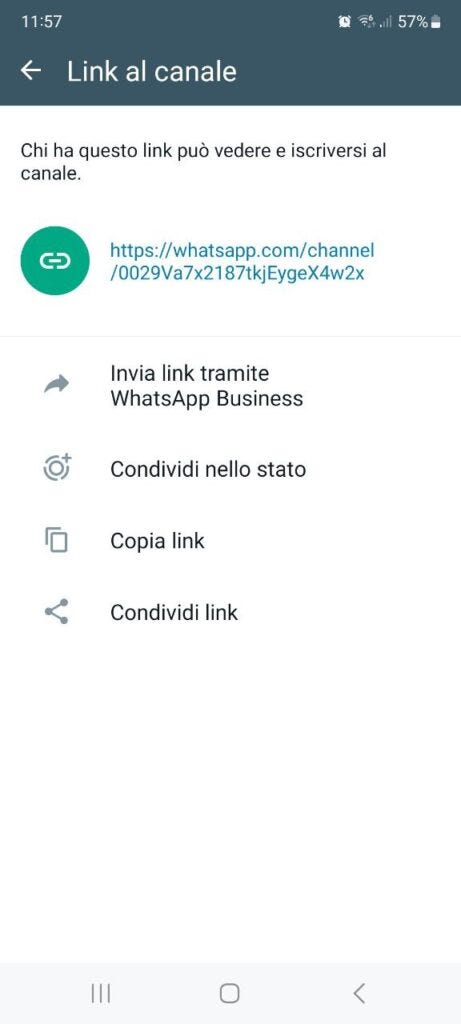
As you can see from the figure above you can send the link via your WhatsApp account to your contacts, or share the link in the status. These sharing methods are great for asking your contacts to subscribe to your channel. But how do you get subscribers from people who aren’t among your contacts? Read method 3 to find out how to do it.
Method 3. Bulk Invite Members in your WhatsApp Channel
If you have a list of phone numbers and contacts not saved in your address book, and therefore not present in WhatsApp, you could use software like WhatBot Plus to reach them in a short time.
This program is designed specifically to send Bulk WhatsApp messages to users even if they are not saved in your address book. Here’s how it works.
Step 1. Download and install WhatBot on your PC/Mac
Click here to download the program on your PC or Mac.
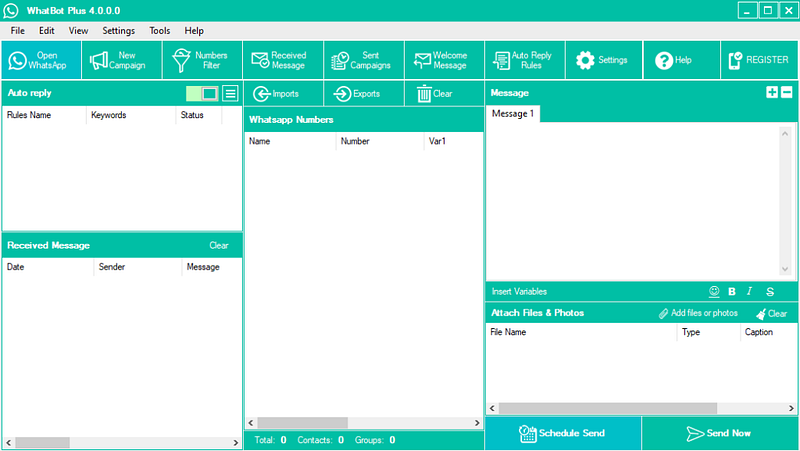
This is the main screen of WhatBot Plus:
Step 2. Activate the program
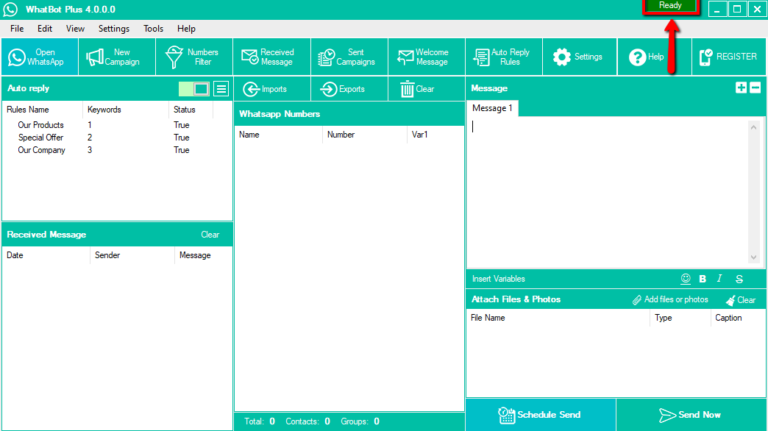
Click on “Open WhatsApp” button at the top left. A WhatsApp Web window will open with a QR code that you will have to scan with the scanner in the WhatsApp app on your mobile phone (in the Settings > Connected Devices menu). After scanning the QR code the program will be ready to work and send WhatsApp messages from your PC.
Step 3. Import WhatsApp Contacts and send Bulk Invite
Click on the Imports button and then on Imports WhatsApp Contacts or on Manual Import and enter the telephone numbers of the people to whom you want to send the subscription link to your channel.
After importing the contacts, write the desired message (entering the link of your WhatsApp channel) and finally press SEND NOW to send it to everyone.
In this way the people who receive the message will be able to spontaneously decide whether to subscribe to your channel or not.