Best and Free bulk Barcode Maker software (for offline use too)
Best and Free bulk Barcode Maker software (for offline use too)
Barcodes are simple codes used in shops or shopping malls to track various products and automate sales operations.
There are so many ways to generate barcodes. Just do a Google search and you can find loads of free online sites and platforms that allow you to create and print barcodes. The limitation of these solutions is that they don’t allow you to create barcodes for multiple products at the same time, and you must always have an internet connection to work.
If you are looking for a way to create and print barcodes even in offline mode (without an internet connection), then the solution we offer is called Free Barcode Maker.
Free Barcode Maker is a free Windows program that can generate codes for all your products, even for several different products at the same time. In the following paragraph we will describe how the software works, according to many one of the best barcode makers currently in circulation (and also available in a free version)
Free Bulk Barcode Maker
It is a software that allows you to generate barcodes in batch (bulk) mode both online and offline.
First of all you need to download the software on your PC from this download page.
After installazione you will see the main screen as in the figure below:
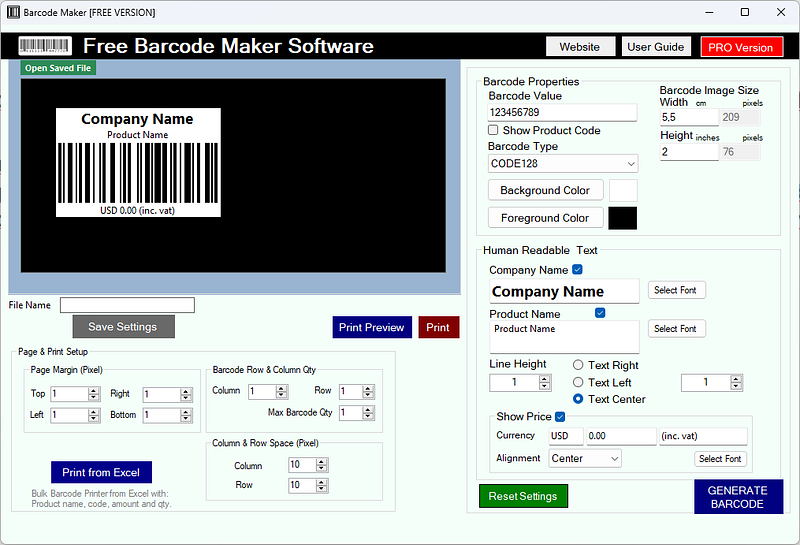
The program interface is divided into three sections:
1. Barcode preview section (top left)
2. Barcode configuration section (right)
3. Print preview section (bottom left)
To immediately generate a barcode you will need to change the parameters on the right. Besides defining a value for the barcode you will have to choose the encoding. The program offers more than 30 types of barcodes, the most common are EAN, UPC, Code 39, Code 128, ITF, POSTNET, PD417, etc.
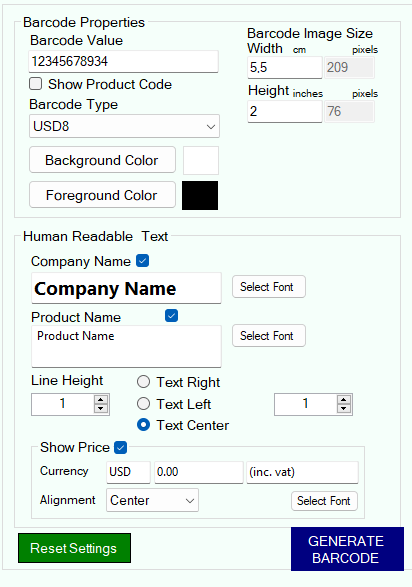
It is also possible to set the size (width and height) according to your needs.
At the bottom right of the interface there are all the optional parameters, useful if you also want to add the name of your company, product name and price on the label. All of this text data can be customized by choosing the font, color, size and alignment.
Once all the parameters have been entered, just click on GENERATE BARCODE to update and preview the label.
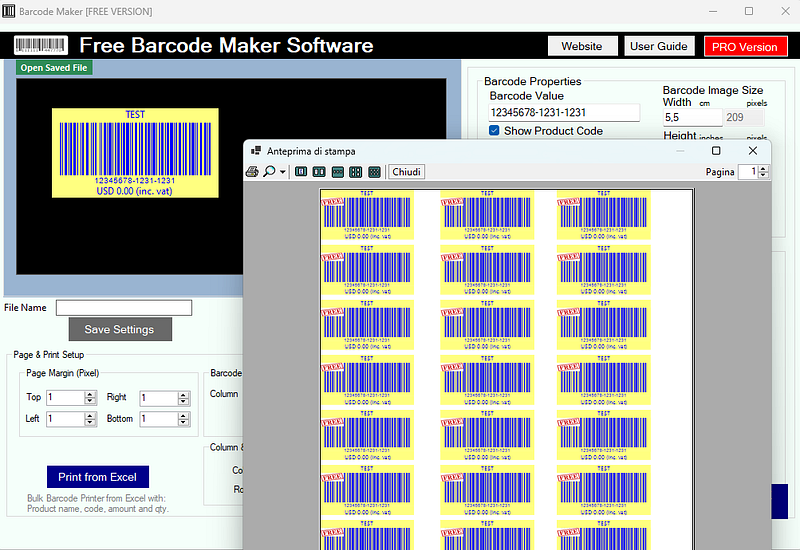
When everything is OK you can proceed to set up the page for printing. Define the margins, number of rows and columns and then click on Print Preview to view the result. If everything is OK, proceed with printing.
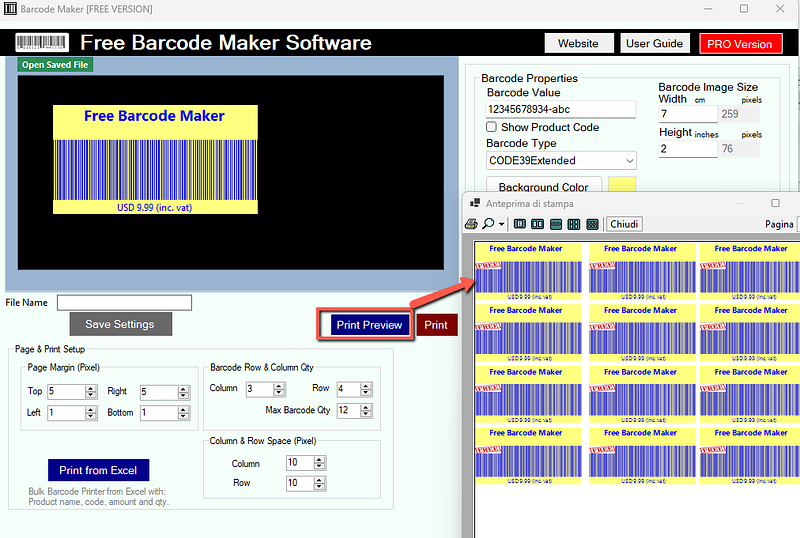
A very important function offered by Free Barcode Maker is the bulk barcode generator for a series of products that you can import from Excel files. To use this function, press the PRINT FROM EXCEL button and load the excel file with the desired products (following the format supported by the program).
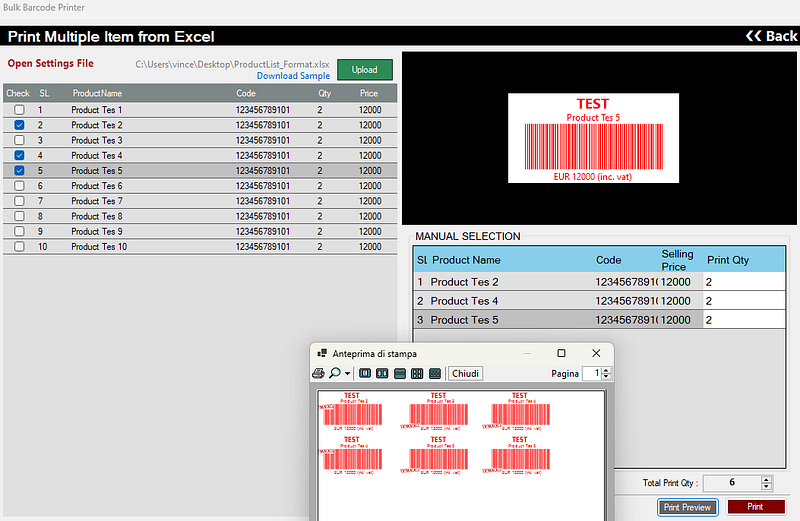
So you can mass print barcodes for multiple products in just one click. Convenient right? And it is also convenient because the software is available in a FREE version and works even in the absence of an internet connection (offline)
Other solutions to create Barcodes
In addition to the app that I suggested in the previous chapter, you should know that in the Android smartphone and tablet store (Play Store), as well as in the iPhone and iPad store (App Store), you can find many free, freemium or paid alternatives for be able to generate a barcode.
However, you must be careful what you download to your device, both because you could end up with a very invasive app in terms of advertising shown, and because you could expose your personal data to security risks.
In general, therefore, even if there are many solutions you can draw on to create your barcodes on smartphones and tablets, my advice is to best evaluate the quality of the app based on the permissions you get required to be used and the reviews you read on the profile pages of the apps themselves.